
Sidebar
This is an old revision of the document!
Toolbar
The Site Toolbar
The topmost element on every page is the site toolbar, which by default hosts the DokuWiki administration tools and user menu.
The layout of this component is split into two parts: on the left side there is either the user (default) or languages menu, as well as a place for additional placement hooks, while on the right-hand side is the list of page tools, as provided by DokuWiki, including an “overflow menu” for items that do not fit or are less important to show.
In detail:
Left-hand items
User menu
This is the default item for this place. It shows the user menu, or, if no user is logged in at this point, the login button, which looks as follows:
Once your are logged in to the DokuWiki system, it shows the name of the currently logged in account instead:
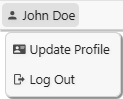
In this case, this works as a menu, which gives access to the user functions, as provided by DokuWiki:
Languages menu
This element can be configured in the Settings to appear instead of the user menu, but it is only shown if the Translation plugin is also installed.
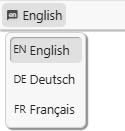
In this case, the menu will always show the current language and provide a menu with other configured languages:
Hooks
There are two include hooks available for this location:
- toolbar_pre.html will be inserted before the built-in item
- toolbar_post.html will be inserted afterwards.
Right-hand items
Page-tools menu

The items actually shown here depend on a number of circumstances, including the current state that the user is in (e.g. there are different items in editing mode) and additional items can also be installed by plugins.
If there is not enough space to show all items (in particular on smaller screens, e.g. on smartphones or similar devices), the additional items will move to the “overflow menu” on the right-hand side:
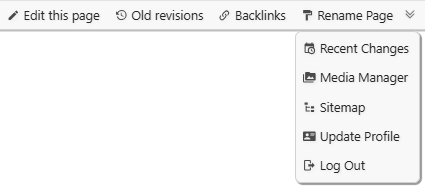
Please note that the user account items (“Update profile”, “Log Out” or “Log In”) are always found in the overflow menu. They are, however, also available in the user menu, e.g. on the left-hand side of the toolbar.